CloudInsidr

Cyber security, infotech

  • Subscribe!
  • Privacy Policy
  • Legal
  • Contact Us

Join us on Twitter: @CloudInsidr

Follow us on Twitter: @cloudinsidr
  • news & alerts
    • events
    • industry analysis
    • industry gossip
    • people
  • cloud, edge & co.
    • AWS
    • administration & orchestration
      • web servers in the cloud
      • mail servers
      • databases
  • cybersec & warfare
    • encryption
  • blockchain
Home cloud, edge and everything in between administration and orchestration WordPress Says Your Host May Have Disabled The mail() Function. Here Is How to Fix It.
WordPress Says Your Host May Have Disabled The mail() Function. Here Is How to Fix It.

Cloud Insidr 2016-02-14 Leave a Comment

WordPress Says Your Host May Have Disabled The mail() Function. Here Is How to Fix It.

Some WordPress installations stubbornly refuse requests for a password reset link, showing the user this error message instead:

The email could not be sent.
Possible reason: your host may have disabled the mail() function.

WordPress’ error massage is anything but insightful. The underlying cause usually involves SELinux. Let us introduce you to an easy fix that does not involve plug-ins or external email services. Buckle up.

Before you embark on your mail configuration, remember to grant yourself root privileges:

sudo su
Step 1. Diagnostics (in case this is something entirely different)

In order to test your server without writing code, install mailx:

yum install mailx

To test outgoing mail, use this command after installtion:

echo testing | mail -s SomeTestSubject your.external@emailaddress.tld

Watch for errors:

tail /var/log/maillog

In order for SELinux to quit blocking access to resources, use this command to switch SELinux to permissive mode (in other words, deactivate the enforcing mode) and repeat the test:

setenforce 0

If you are still getting errors with SELinux in the permissive mode, perform the obvious fixes.

Step 2. Perform any obvious fixes

Any number of errors could show up in the output. You could, for example, see this:

postfix/local[28021]: warning: maildir access problem for UID/GID=0/0: create maildir file /root/Maildir/tmp/1455463988.P28021.ip-12-34-45-67.ec2.internal: Permission denied

One other thing: users of Postfix, don’t change the sendmail path in php.ini to the Postfix path, your mail agent will be jsut fine without you meddling with this setting, so don’t touch this line!

This one is easy. Create the mail directory for user root:

mkdir /root/Maildir/

and you won’t see this error again.

Step 3. Request another password reset link from WordPress

In your web browser, request another password reset link from your WordPress installation. You should see the success message:

Check your email for the confirmation link.
Step 4. Verify that your web server has the permission to send emails

What happens when a user requests a WordPress password reset is directed by the web server (such as Apache or NGINX, whichever is running on your system). Your web server needs a permission to perform this operation. Verify if this is the case:

sestatus -b | grep -i sendmail

The output could look something like this:

gitosis_can_sendmail off
httpd_can_sendmail off
logging_syslogd_can_sendmail off

SElinux: wrong sendmail permissions
Step 5. Grant the web server permission to send mail

Allow the web server to send outgoing mail:

setsebool -P httpd_can_sendmail 1

As a result, the command:

sestatus -b | grep -i sendmail

should deliver this output:

gitosis_can_sendmail off
httpd_can_sendmail on
logging_syslogd_can_sendmail off

SElinux: sendmail permissions corrected

Now feel free to activate the enforcing mode in SELinux:

setenforce 1

and verify that WordPress sends. You should receive the now-familiar message “Check your email for the confirmation link.”
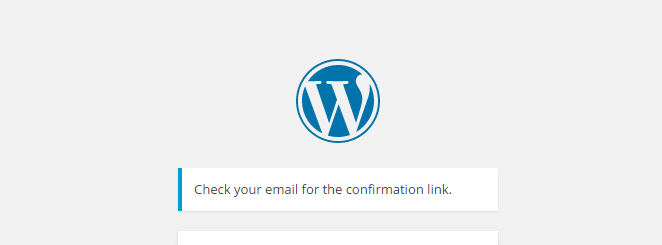
Success: check your mail


Filed Under: administration and orchestration, cloud, edge and everything in between, mail servers, NGINX, web servers in the cloud Tagged With: NGINX, postfix, SELinux, WordPress

Leave a Reply Cancel reply

Your email address will not be published. Required fields are marked *

Subscribe

SSL/TLS Certificate Square (250 x 250)

Pearson Education (InformIT)

SSL/TLS Certificate Medium Rectangle (300 x 250)

Recent Posts

  • Upgrading from CentOS 6 to CentOS 7 and Beyond?
  • How To Figure Out Who is Signing In To Dovecot to Send or Retrieve Email
  • OpenSSH 9.9 Introduces Enhanced Quantum-Resistant Algorithms
  • OpenSSL 3.3 Final Release is now live!
  • How to Activate HTTP/2 with TLS 1.3 Encryption in NGINX for Secure Connections without a Performance Penalty
  • Is AWS sucking your budget dry? Strip it down to the nitty-gritty (without breaking stuff)
  • How to attach and mount an NVMe EBS volume on EC2
  • SELinux security contexts: correcting SELinux labels on a file system
  • Intel gobbling up Israeli Tower Semiconductor, Stock Goes Through The Roof
  • NGINX on AWS EC2: setting up a web server from scratch on a domain of your choice
  • Log4j RCE and mitigation techniques
  • Set up logrotate for Postfix

Symantec

Categories

  • administration and orchestration
  • alerts
  • AWS
  • Bitcoin
  • cloud, edge and everything in between
  • cryptocurrencies
  • cybersecurity and cyber warfare
  • databases
  • DNS
  • encryption
  • events
  • FinTech and InsurTech
  • homeland security
  • HTTP Security Headers
  • industries
  • industry analysis
  • industry gossip
  • Java
  • Linux
  • mail servers
  • networking
  • news
  • NGINX
  • people
  • php-fpm
  • reviews
  • SELinux
  • tips and tricks
  • Uncategorized
  • web servers in the cloud

Tags

AMI AWS AWS EBS Azure certificate cipher suites cryptography cyber defense cybersecurity cyber security Diffie-Hellman DNS DNS over HTTPS Dovecot EBS EC2 email encryption Fedora HTTP/2 HTTPS IBM letsencrypt Linux logs MariaDB MFA MySQL NGINX OpenSSL permissions php-fpm PHP 7 postfix RegEx Route 53 RSA SELinux SQL SSH SSL TLS TLS 1.3 TLS vulnerabilities WordPress

Archives

  • January 2025
  • November 2024
  • October 2024
  • May 2024
  • January 2023
  • March 2022
  • February 2022
  • December 2021
  • December 2020
  • November 2020
  • September 2020
  • January 2020
  • November 2019
  • August 2019
  • July 2019
  • April 2019
  • December 2018
  • October 2018
  • September 2018
  • August 2018
  • June 2018
  • May 2018
  • April 2018
  • February 2018
  • December 2017
  • November 2017
  • October 2017
  • August 2017
  • April 2017
  • February 2017
  • January 2017
  • November 2016
  • September 2016
  • August 2016
  • July 2016
  • March 2016
  • February 2016
  • January 2016
  • December 2015
  • November 2015
  • October 2015
  • September 2015
  • July 2015
  • February 2015

Recent Comments

    Wicked fast Networking (With a Government Clearance to Boot)

    ©2022 CybrAnalytiqa OÜ

    • Content purchasing and syndication