CloudInsidr

Cyber security, infotech

  • Subscribe!
  • Privacy Policy
  • Legal
  • Contact Us

Join us on Twitter: @CloudInsidr

Follow us on Twitter: @cloudinsidr
  • news & alerts
    • events
    • industry analysis
    • industry gossip
    • people
  • cloud, edge & co.
    • AWS
    • administration & orchestration
      • web servers in the cloud
      • mail servers
      • databases
  • cybersec & warfare
    • encryption
  • blockchain
Home cloud, edge and everything in between administration and orchestration Linux How to attach and mount an NVMe EBS volume on EC2
How to attach and mount an NVMe EBS volume on EC2

Cloud Insidr 2022-03-21 Leave a Comment

How to attach and mount an NVMe EBS volume on EC2

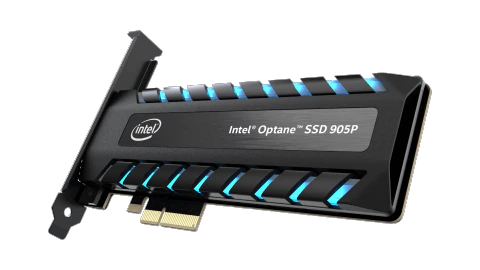
The versatile advantages of NVMe are becoming increasingly apparent in modern storage systems. You can take advantage of them in the cloud.

Connect to your EC2 instance using an ssh client such as PuTTY, then sudo su.

Install drivers and tools

Make sure your system is up to date and knows how to handle NVMe. On Fedora/RHEL:

# sudo dnf update -y
# dnf install nvme*
# dnf install nvme-cli nvmetcli
# sudo dnf install xfsprogs

Show information about the kernel module nvme:

# modinfo nvme

View block devices

View block devices using:

# lsblk

You may see something like this:

# lsblk
NAME MAJ:MIN RM SIZE RO TYPE MOUNTPOINTS
zram0 252:0 0 1.9G 0 disk [SWAP]
nvme0n1 259:0 0 30G 0 disk
├─nvme0n1p1 259:1 0 1M 0 part
├─nvme0n1p2 259:2 0 500M 0 part /boot
├─nvme0n1p3 259:3 0 100M 0 part /boot/efi
├─nvme0n1p4 259:4 0 4M 0 part
└─nvme0n1p5 259:5 0 29.4G 0 part /home
/
nvme1n1 259:6 0 40G 0 disk

nvme1n1 is your new unformatted, unpartitiond vanilla NVMe drive,

You can list all NVMe devices using:

# nvme list

and identify the NVMe Controller responsible for an individual partition (e.g. /dev/nvme1n1):

# sudo nvme id-ctrl -v /dev/nvme1n1

Create a new partition

Create a new partition using fdisk:

# fdisk /dev/nvme1n1
Welcome to fdisk (util-linux 2.37.4).
Changes will remain in memory only, until you decide to write them.
Be careful before using the write command.

Device does not contain a recognized partition table.

Follow the on-screen instructions. Use n to create a new partition and w to write it to disk. (For more on how to handle fdisk, see “How to expand an (xfs) EBS volume on AWS EC2“.)

Format the new partition and mount it

You may need to create a new file system on the newly created partition:

# mkfs.xfs /dev/nvme1n1p1

Mount it one-time:

# mount /dev/nvme1n1p1 /var/www/html/

If you would like the volume to mount automatically after each reboot, you need to configure /etc/fstab accordingly. First, make a backup of the original version of the file:

# sudo cp /etc/fstab /etc/fstab.orig

Now you need to figure out the UUID of the new partition to properly reference it:

# blkid
(...)
/dev/nvme1n1p1: UUID="146de8f2-2f9d-4d3c-9e25-174585ca7fd4" BLOCK_SIZE="512" TYPE="xfs" PARTUUID="ce613f49-01"

Edit /etc/fstab using a text editor of your choice:

# nano /etc/fstab

Enter this line at the end of /etc/fstab (add spaces as you see fit):

UUID=146ce7f2-2f9e-4d2c-9e15-174585ca7fd4 /var/www/html xfs defaults,nofail 0 2

The nofail flag ensures that the system will boot without errors when the volume fails. The first digit represents the file system dump (the system utility dump for backups of an ext2/3/4 fs; xfsdump for xfs), the second is the fsck flag (file system check) for the partition. It determins the order of the file system check at boot time (the root should have 1, the rest should have 2 unless deactivated with 0).

Now you should be able to unmount it:

# sudo umount /var/www/html/

and mount it again based on the /etc/fstab file:

# sudo mount -a

You are done.

Filed Under: Linux, tips and tricks Tagged With: AWS EBS, EBS, EC2, NVMe

Leave a Reply Cancel reply

Your email address will not be published. Required fields are marked *

Subscribe

SSL/TLS Certificate Square (250 x 250)

Pearson Education (InformIT)

SSL/TLS Certificate Medium Rectangle (300 x 250)

Recent Posts

  • Upgrading from CentOS 6 to CentOS 7 and Beyond?
  • How To Figure Out Who is Signing In To Dovecot to Send or Retrieve Email
  • OpenSSH 9.9 Introduces Enhanced Quantum-Resistant Algorithms
  • OpenSSL 3.3 Final Release is now live!
  • How to Activate HTTP/2 with TLS 1.3 Encryption in NGINX for Secure Connections without a Performance Penalty
  • Is AWS sucking your budget dry? Strip it down to the nitty-gritty (without breaking stuff)
  • How to attach and mount an NVMe EBS volume on EC2
  • SELinux security contexts: correcting SELinux labels on a file system
  • Intel gobbling up Israeli Tower Semiconductor, Stock Goes Through The Roof
  • NGINX on AWS EC2: setting up a web server from scratch on a domain of your choice
  • Log4j RCE and mitigation techniques
  • Set up logrotate for Postfix

Symantec

Categories

  • administration and orchestration
  • alerts
  • AWS
  • Bitcoin
  • cloud, edge and everything in between
  • cryptocurrencies
  • cybersecurity and cyber warfare
  • databases
  • DNS
  • encryption
  • events
  • FinTech and InsurTech
  • homeland security
  • HTTP Security Headers
  • industries
  • industry analysis
  • industry gossip
  • Java
  • Linux
  • mail servers
  • networking
  • news
  • NGINX
  • people
  • php-fpm
  • reviews
  • SELinux
  • tips and tricks
  • Uncategorized
  • web servers in the cloud

Tags

AMI AWS AWS EBS Azure certificate cipher suites cryptography cyber defense cybersecurity cyber security Diffie-Hellman DNS DNS over HTTPS Dovecot EBS EC2 email encryption Fedora HTTP/2 HTTPS IBM letsencrypt Linux logs MariaDB MFA MySQL NGINX OpenSSL permissions php-fpm PHP 7 postfix RegEx Route 53 RSA SELinux SQL SSH SSL TLS TLS 1.3 TLS vulnerabilities WordPress

Archives

  • January 2025
  • November 2024
  • October 2024
  • May 2024
  • January 2023
  • March 2022
  • February 2022
  • December 2021
  • December 2020
  • November 2020
  • September 2020
  • January 2020
  • November 2019
  • August 2019
  • July 2019
  • April 2019
  • December 2018
  • October 2018
  • September 2018
  • August 2018
  • June 2018
  • May 2018
  • April 2018
  • February 2018
  • December 2017
  • November 2017
  • October 2017
  • August 2017
  • April 2017
  • February 2017
  • January 2017
  • November 2016
  • September 2016
  • August 2016
  • July 2016
  • March 2016
  • February 2016
  • January 2016
  • December 2015
  • November 2015
  • October 2015
  • September 2015
  • July 2015
  • February 2015

Recent Comments

    Wicked fast Networking (With a Government Clearance to Boot)

    ©2022 CybrAnalytiqa OÜ

    • Content purchasing and syndication